Laravel Telescope
Introduction
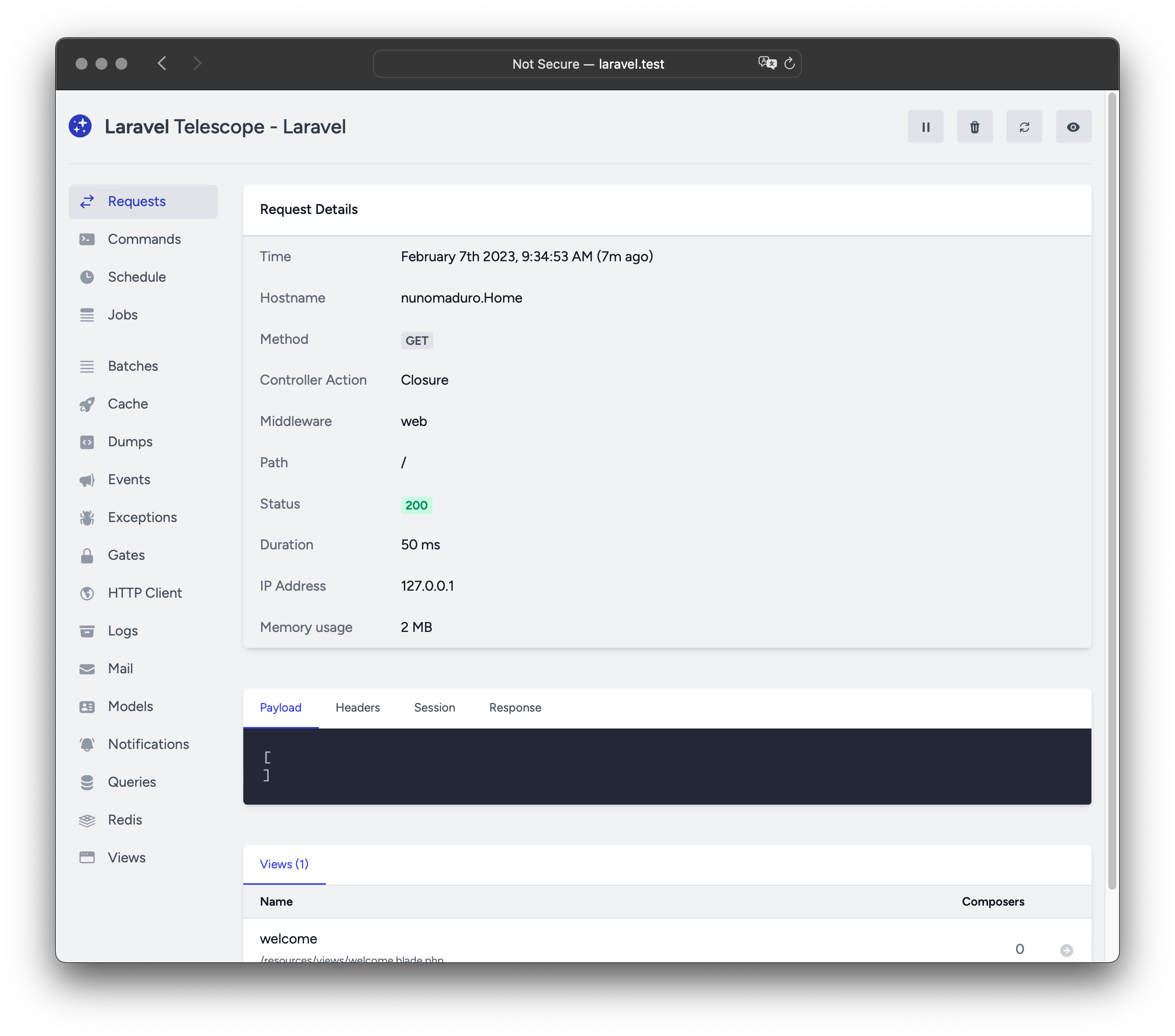
Laravel Telescope는 여러분의 로컬 Laravel 개발 환경에 훌륭하게 어울리는 툴입니다. Telescope는 애플리케이션에 들어오는 요청, 예외, 로그 엔트리, 데이터베이스 쿼리, 큐에 등록된 잡, 메일, 알림, 캐시 작업, 예약 작업, 변수 덤프 등 다양한 정보를 한눈에 확인할 수 있도록 도와줍니다.
Installation
Composer 패키지 관리자를 사용하여 Laravel 프로젝트에 Telescope를 설치할 수 있습니다.
composer require laravel/telescope
Telescope 설치 후, telescope:install 아티즌 명령어로 자산 파일을 퍼블리시해야 합니다. 또한 Telescope가 데이터를 저장하기 위해 필요한 테이블을 생성하려면 migrate 명령어도 실행해야 합니다.
php artisan telescope:install

php artisan migrate
Migration Customization
Telescope의 기본 마이그레이션을 사용하지 않으려면, 애플리케이션의 App\Providers\AppServiceProvider 클래스 내 register 메서드에서 Telescope::ignoreMigrations 메서드를 호출하세요. 기본 마이그레이션 파일은 다음 명령어로 따로 내보낼 수 있습니다: php artisan vendor:publish --tag=telescope-migrations
Local Only Installation
Telescope를 오직 로컬 개발 환경에서만 사용하려는 경우 --dev 플래그로 설치하는 것이 좋습니다.
composer require laravel/telescope --dev

php artisan telescope:install

php artisan migrate
telescope:install 실행 후에는, 애플리케이션의 config/app.php 구성 파일에 등록된 TelescopeServiceProvider 서비스 프로바이더를 제거해야 합니다. 대신, Telescope의 서비스 프로바이더를 App\Providers\AppServiceProvider 클래스의 register 메서드 안에서 직접 등록하세요. 아래 코드처럼 현재 환경이 local인 경우에만 프로바이더를 등록하도록 작성합니다.
/**
 * Register any application services.
 *
 * @return void
 */
public function register()
{
    if ($this->app->environment('local')) {
        $this->app->register(\Laravel\Telescope\TelescopeServiceProvider::class);
        $this->app->register(TelescopeServiceProvider::class);
    }
}
마지막으로, 아래와 같이 composer.json 파일에 설정을 추가해 Telescope 패키지가 auto-discovered에 포함되지 않도록 해야 합니다.
"extra": {
    "laravel": {
        "dont-discover": [
            "laravel/telescope"
        ]
    }
},
Configuration
Telescope의 자산 파일을 퍼블리시하면, 주요 설정 파일이 config/telescope.php에 생성됩니다. 이 파일에서는 watcher options 등 다양한 옵션을 설정할 수 있습니다. 각 옵션 옆에 용도 설명이 있으니 파일을 자세히 살펴보는 것이 좋습니다.
필요하다면, enabled 설정 옵션을 사용해 Telescope의 데이터 수집을 완전히 비활성화할 수도 있습니다.
'enabled' => env('TELESCOPE_ENABLED', true),
Data Pruning
데이터 정리를 하지 않는다면 telescope_entries 테이블에 데이터가 매우 빠르게 쌓일 수 있습니다. 이를 방지하기 위해 telescope:prune 아티즌 명령어를 schedule으로 매일 실행하는 것을 권장합니다.
$schedule->command('telescope:prune')->daily();
기본적으로 24시간이 지난 엔트리는 자동으로 삭제됩니다. 만약 데이터를 더 오래 또는 더 짧게 보관하고 싶다면, 명령어 실행 시 hours 옵션을 사용할 수 있습니다. 아래 예시는 48시간이 지난 엔트리를 삭제합니다.
$schedule->command('telescope:prune --hours=48')->daily();
Dashboard Authorization
Telescope 대시보드는 /telescope 경로에서 접근할 수 있습니다. 기본적으로는 local 환경에서만 접근이 허용됩니다. app/Providers/TelescopeServiceProvider.php 파일을 보면 authorization gate 정의가 있습니다. 이 게이트는 로컬 이외 환경에서 Telescope 대시보드 접근 권한을 제어합니다. 필요에 따라 접근 허용 대상을 아래 코드처럼 자유롭게 수정할 수 있습니다.
/**
* Register the Telescope gate.
*
* This gate determines who can access Telescope in non-local environments.
*
* @return void
*/
protected function gate()
{
Gate::define('viewTelescope', function ($user) {
return in_array($user->email, [
]);
});
}
실제 운영 환경에서는 반드시 환경 변수
APP_ENV값을production으로 변경해야 합니다. 그렇지 않으면 누구든지 Telescope 대시보드에 접근할 수 있으니 주의하세요.
Upgrading Telescope
Telescope의 새로운 주요 버전으로 업그레이드할 때는 반드시 the upgrade guide를 꼼꼼하게 확인해야 합니다.
또한 Telescope를 새 버전으로 업그레이드할 때마다, 자산 파일도 반드시 다시 퍼블리시해야 합니다.
php artisan telescope:publish
자산 파일을 항상 최신 상태로 유지하고, 추후 발생할 수 있는 문제를 예방하기 위해 composer.json의 post-update-cmd 스크립트에 telescope:publish 명령어를 추가하는 것이 좋습니다.
{
    "scripts": {
        "post-update-cmd": [
            "@php artisan telescope:publish --ansi"
        ]
    }
}
Filtering
Entries
Telescope가 기록하는 데이터를 필터링하려면, App\Providers\TelescopeServiceProvider 클래스에 정의된 filter 클로저를 사용하면 됩니다. 기본적으로 이 클로저는 local 환경에선 모든 데이터를 기록하며, 그 외 환경에서는 예외, 실패한 잡, 예약 작업, 특정 태그가 달린 데이터만 기록하도록 동작합니다.
use Laravel\Telescope\IncomingEntry;
use Laravel\Telescope\Telescope;

/**
 * Register any application services.
 *
 * @return void
 */
public function register()
{
    $this->hideSensitiveRequestDetails();

    Telescope::filter(function (IncomingEntry $entry) {
        if ($this->app->environment('local')) {
            return true;
        }

        return $entry->isReportableException() ||
            $entry->isFailedJob() ||
            $entry->isScheduledTask() ||
            $entry->isSlowQuery() ||
            $entry->hasMonitoredTag();
    });
}
Batches
filter 클로저가 개별 엔트리의 데이터만 필터링하는 반면, filterBatch 메서드를 사용하면 특정 요청이나 콘솔 명령 전체에 대한 데이터를 한번에 필터링할 수 있습니다. 해당 클로저가 true를 반환하면, 해당 요청의 모든 엔트리가 기록됩니다.
use Illuminate\Support\Collection;
use Laravel\Telescope\Telescope;

/**
 * Register any application services.
 *
 * @return void
 */
public function register()
{
    $this->hideSensitiveRequestDetails();

    Telescope::filterBatch(function (Collection $entries) {
        if ($this->app->environment('local')) {
            return true;
        }

        return $entries->contains(function ($entry) {
            return $entry->isReportableException() ||
                $entry->isFailedJob() ||
                $entry->isScheduledTask() ||
                $entry->isSlowQuery() ||
                $entry->hasMonitoredTag();
            });
    });
}
Tagging
Telescope는 엔트리를 "태그"로 검색할 수 있습니다. 보통 태그는 Eloquent 모델 클래스명이나 인증된 사용자 ID 등이 자동으로 지정됩니다. 이 외에도 원하는 경우 직접 태그를 추가할 수 있는데, 이때는 Telescope::tag 메서드를 사용하면 됩니다. tag 메서드는 클로저를 받아, 그 클로저가 배열 형태의 태그 목록을 반환하면 Telescope가 이를 엔트리에 자동 태그와 합쳐서 할당합니다. 일반적으로 App\Providers\TelescopeServiceProvider 클래스의 register 메서드에서 tag 메서드를 사용합니다.
use Laravel\Telescope\IncomingEntry;
use Laravel\Telescope\Telescope;

/**
 * Register any application services.
 *
 * @return void
 */
public function register()
{
    $this->hideSensitiveRequestDetails();

    Telescope::tag(function (IncomingEntry $entry) {
        return $entry->type === 'request'
                    ? ['status:'.$entry->content['response_status']]
                    : [];
    });
 }
Available Watchers
Telescope의 "워처(watcher)"는 요청이나 콘솔 명령이 실행될 때 애플리케이션의 다양한 데이터를 수집합니다. 어떤 워처를 활성화할지는 config/telescope.php 파일에서 지정할 수 있습니다.
'watchers' => [
    Watchers\CacheWatcher::class => true,
    Watchers\CommandWatcher::class => true,
    ...
],
워처 중에는 아래처럼 추가 설정을 지원하는 것도 있습니다.
'watchers' => [
    Watchers\QueryWatcher::class => [
        'enabled' => env('TELESCOPE_QUERY_WATCHER', true),
        'slow' => 100,
    ],
    ...
],
Batch Watcher
배치 워처는 batches에 관한 정보, 즉 잡과 연결 관련 정보를 기록합니다.
Cache Watcher
캐시 워처는 캐시 키가 조회(hit), 실패(miss), 갱신(updated), 삭제(forgotten)되는 데이터를 기록합니다.
Command Watcher
명령어 워처는 Artisan 명령어가 실행될 때의 인수, 옵션, 종료 코드, 출력 결과를 기록합니다. 만약 특정 명령어를 기록에서 제외하고 싶다면, 아래처럼 config/telescope.php 파일에서 ignore 옵션에 해당 명령어를 추가하면 됩니다.
'watchers' => [
    Watchers\CommandWatcher::class => [
        'enabled' => env('TELESCOPE_COMMAND_WATCHER', true),
        'ignore' => ['key:generate'],
    ],
    ...
],
Dump Watcher
덤프 워처는 Telescope에서 변수 덤프를 기록하고 보여줍니다. Laravel에서 전역 dump 함수를 사용하면 변수를 덤프할 수 있습니다. 단, 이 기능이 동작하려면 브라우저에서 덤프 워처 탭이 열려 있어야 하며, 그렇지 않으면 덤프가 기록되지 않습니다.
Event Watcher
이벤트 워처는 애플리케이션에서 발생시키는 events의 페이로드, 리스너, 브로드캐스트 데이터를 기록합니다. Laravel 프레임워크의 내부 이벤트는 이벤트 워처에서 자동으로 무시됩니다.
Exception Watcher
예외 워처는 애플리케이션에서 발생한 보고(ex. 로그 처리되는) 예외의 데이터와 스택 트레이스를 기록합니다.
Gate Watcher
게이트 워처는 gate and policy 체크 시의 데이터와 결과를 기록합니다. 만약 특정 권한(ability)을 기록에서 제외하고 싶다면, 아래처럼 config/telescope.php 파일의 ignore_abilities 옵션에 추가하면 됩니다.
'watchers' => [
    Watchers\GateWatcher::class => [
        'enabled' => env('TELESCOPE_GATE_WATCHER', true),
        'ignore_abilities' => ['viewNova'],
    ],
    ...
],
HTTP Client Watcher
HTTP 클라이언트 워처는 애플리케이션에서 외부로 보낸 HTTP client requests을 기록합니다.
Job Watcher
잡 워처는 애플리케이션에서 발생시킨 jobs의 데이터 및 실행 상태를 기록합니다.
Log Watcher
로그 워처는 애플리케이션에서 작성된 log data를 기록합니다.
Mail Watcher
메일 워처는 애플리케이션에서 전송한 emails의 미리보기(브라우저 내 보기)와 연관된 데이터를 확인할 수 있습니다. 또한, 이메일을 .eml 파일로 다운로드할 수도 있습니다.
Model Watcher
모델 워처는 Eloquent model event 발생 시 모델 변경 사항을 기록합니다. 어떤 모델 이벤트를 기록할지는 아래처럼 워처의 events 옵션에서 지정할 수 있습니다.
'watchers' => [
    Watchers\ModelWatcher::class => [
        'enabled' => env('TELESCOPE_MODEL_WATCHER', true),
        'events' => ['eloquent.created*', 'eloquent.updated*'],
    ],
    ...
],
또한, 요청 중에 하이드레이션된 모델(구체적 객체로 변환된 모델)의 개수까지 기록하고 싶다면 hydrations 옵션을 활성화할 수 있습니다.
'watchers' => [
    Watchers\ModelWatcher::class => [
        'enabled' => env('TELESCOPE_MODEL_WATCHER', true),
        'events' => ['eloquent.created*', 'eloquent.updated*'],
        'hydrations' => true,
    ],
    ...
],
Notification Watcher
알림 워처는 애플리케이션에서 전송하는 모든 notifications을 기록합니다. 만약 알림이 이메일을 통해 전송되고 메일 워처가 활성화되어 있다면, 해당 이메일도 메일 워처 화면에서 미리볼 수 있습니다.
Query Watcher
쿼리 워처는 실행된 모든 쿼리의 원본 SQL, 바인딩 데이터, 실행 시간 등을 기록합니다. 기본적으로 100밀리초를 초과하는 쿼리는 slow 태그가 붙고, 이 임계값은 slow 옵션으로 원하는 값으로 조절할 수 있습니다.
'watchers' => [
    Watchers\QueryWatcher::class => [
        'enabled' => env('TELESCOPE_QUERY_WATCHER', true),
        'slow' => 50,
    ],
    ...
],
Redis Watcher
Redis 워처는 애플리케이션에서 실행한 모든 Redis 명령을 기록합니다. Redis를 캐시로 사용 중이라면, 캐시 관련 명령어도 함께 기록됩니다.
Request Watcher
요청 워처는 애플리케이션에서 처리한 요청에 대한 데이터, 헤더, 세션, 응답 데이터를 기록합니다. 특히 응답 데이터의 기록 범위는 size_limit(킬로바이트 단위) 옵션으로 제한할 수 있습니다.
'watchers' => [
    Watchers\RequestWatcher::class => [
        'enabled' => env('TELESCOPE_REQUEST_WATCHER', true),
        'size_limit' => env('TELESCOPE_RESPONSE_SIZE_LIMIT', 64),
    ],
    ...
],
Schedule Watcher
스케줄 워처는 애플리케이션이 실행한 scheduled tasks의 명령어와 결과 출력을 기록합니다.
View Watcher
뷰 워처는 view 렌더링 시의 뷰 이름, 경로, 데이터, 그리고 사용된 "composer" 정보를 기록합니다.
Displaying User Avatars
Telescope 대시보드는 각 엔트리가 저장될 당시 인증된 사용자의 아바타 이미지를 표시합니다. 기본적으로 Telescope는 Gravatar 서비스를 이용해 아바타를 가져옵니다. 하지만 원하는 경우, App\Providers\TelescopeServiceProvider 클래스에서 콜백을 등록해 아바타 URL을 직접 지정할 수 있습니다. 이 콜백은 사용자 ID와 이메일 주소를 인자로 받아서, 그 사용자의 아바타 이미지 URL을 반환해야 합니다.
use App\Models\User;
use Laravel\Telescope\Telescope;

/**
 * Register any application services.
 *
 * @return void
 */
public function register()
{
    // ...

    Telescope::avatar(function ($id, $email) {
        return '/avatars/'.User::find($id)->avatar_path;
    });
}